An AI agent in one script tag
Freddy↗ is the support agent now living in the bottom-right corner of this page. It's an LLM wired to a knowledge-base search tool, a way for the page it's embedded on to hand it more tools of its own, and a flow-control layer that can pin its steps into a fixed order when prompting alone isn't reliable enough. All of that ships as one script tag and one custom element, because none of it matters if a real page can't actually drop it in.
This post covers the widget half of the repo (apps/chatbot), not the
operator dashboard next to it that manages conversations and the knowledge
base. That's a different piece of software with a different set of
problems, and it's real, live at
dashboard.konpeeyush.me↗ if you want to
see every one of these conversations land on the other side.
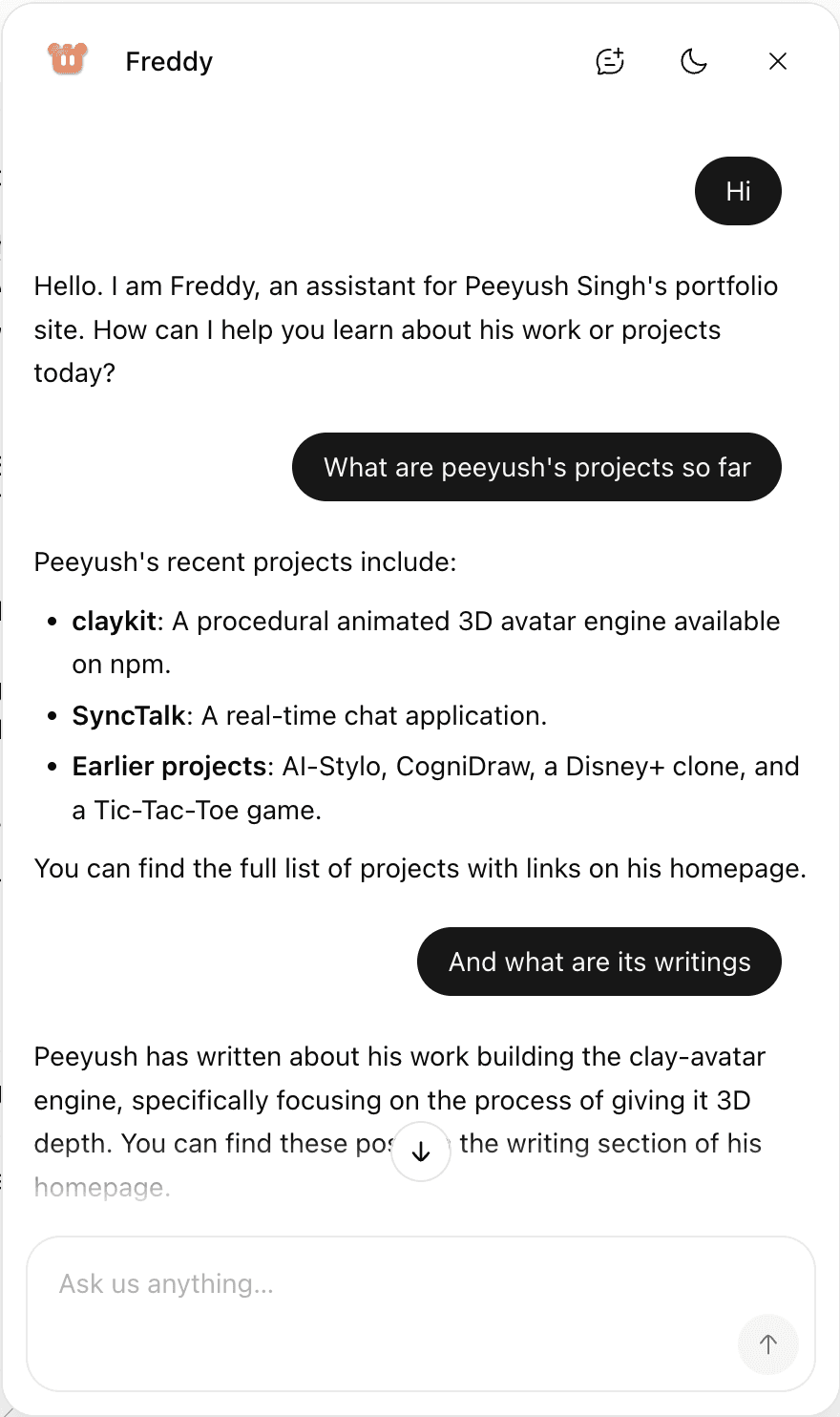
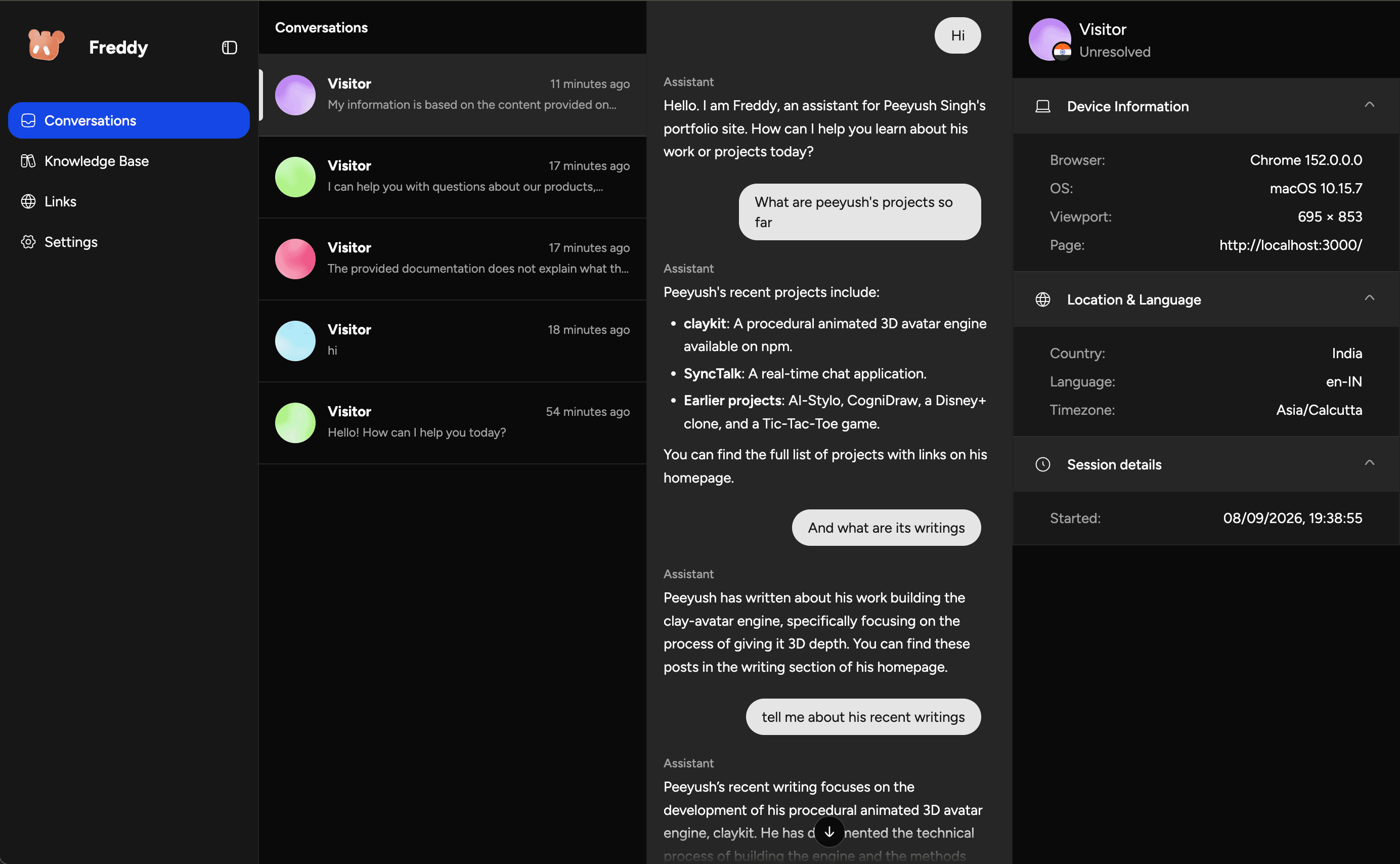
Grounded in the site's own docs
Everything Freddy says about the product it's embedded in comes from a
searchKnowledge tool the server holds itself, backed by an index crawled
from that site's own docs. The system prompt requires the tool be called
before anything about pricing, plans or policies gets answered, including
things the model already seems confident about. What a model remembers about
a product is usually a different version of it than the one actually sitting
in front of it. Answers cite the passages that supported them. If the search
comes back empty, Freddy says the docs don't cover it instead of filling the
gap from memory.
Tools that run in the visitor's browser
The more interesting part of the wire contract is what the server doesn't hold. Every tool beyond that built-in search is registered by the host page, at runtime, with its implementation living in that page's own JavaScript:
FreddyChat.registerTool({
  name: "getCartTotal",
  description: "The total value of the visitor's cart right now.",
  inputSchema: { type: "object", properties: {} },
  handler: () => ({ total: cart.total, items: cart.count }),
});
The model emits a tool call, the widget runs handler in the browser, and
the result goes back into the same request. The server never sees cart,
and it never gets to. It's a deliberate trade: a page-defined tool can read
anything the page can (the cart, the signed-in user, values in the DOM),
which is also exactly what makes getCartTotal possible without Freddy's
backend needing an API key into somebody else's e-commerce platform. The
definition is plain JSON Schema, sent fresh with every request; the server
holds no copy of it between turns.
Sequences pin an order that prompting can't
A tool call happening at all is still up to the model. Some flows need to
happen in a fixed order every time (asking for an email before creating a
lead, say), not "usually, if the model remembers to." A sequence compiles a
flow into steps, and the runtime restricts the model to only the current
step's tool while one is active, with toolChoice: "required" set server
side so it can't just answer in prose and skip it:
FreddyChat.registerSequence({
  id: "demoRequest",
  label: "Demo request",
  trigger: "Use when someone asks for a demo or a callback.",
  steps: [
    { kind: "ask", field: "company", prompt: "which company they are with" },
    { kind: "tool", tool: "createLead", inputFrom: { company: "$company" } },
  ],
});
FreddyChat.onSequence reports a flow starting, advancing, and ending.
deliverSequences queues completed ones to an endpoint in the visitor's own
browser storage, retrying across page loads until the request actually
lands. A closed tab mid-send doesn't lose the lead; it just resends it next
visit.
One script tag, one element
All three of the above (search, page-defined tools, sequences) reach the browser as one script tag and one custom element:
<script src="https://chatbot.konpeeyush.me/widget.js"></script>
<freddy-chat mode="floating" position="bottom-right" theme="light"></freddy-chat>
widget.js is a single IIFE with React bundled in rather than externalised.
The host page isn't expected to have React, or anything else, so nothing
about the widget can depend on it having React. The script's only job on
load is customElements.define("freddy-chat", ...); everything else is
attributes read off the element: mode, position, theme, api-url,
trigger, default-open. There's also a tag-manager form for pages that
can only paste a <script> and nothing else: a data-auto attribute makes
the script create its own host element and append it to <body>:
<script src="widget.js" data-auto data-mode="floating"></script>Most attribute changes at runtime (a position flip, a trigger swap) can't
just patch props in place, because a closed shadow root can't be
detached and reattached to a new tree shape. So attributeChangedCallback
does something a little unusual: it builds a whole replacement <freddy-chat>
element, copies every attribute across, and swaps it in with replaceWith.
theme is the one exception, handled in place, because a colour change
doesn't need a different tree at all:
attributeChangedCallback(name, prev, next) {
  if (prev === next || !this.#widget || !this.#config) return

  // Theme swaps in place; everything else changes the tree shape, so remount.
  if (name === "theme") {
    this.#config = readConfig(this)
    this.#widget.setTheme(this.#config.theme)
    return
  }

  // A shadow root cannot be detached, so a remount means a fresh host.
  const replacement = document.createElement(TAG_NAME)
  for (const attr of Array.from(this.attributes)) {
    replacement.setAttribute(attr.name, attr.value)
  }
  this.replaceWith(replacement)
}
A shadow root the page can't reach
attachShadow({ mode: "closed" }), not "open". The difference only matters
to scripts: an open root still hands back element.shadowRoot to anyone who
asks, which means any other script on the host page could reach in and
rewrite the widget's DOM. Closed just returns null. Styling goes in through
adoptedStyleSheets instead of an injected <style> tag: one
CSSStyleSheet, parsed once and shared by every instance of the widget on
the page:
const shadow = host.attachShadow({ mode: "closed" })
shadow.adoptedStyleSheets = [getSheet()]
Nothing crosses the boundary in either direction: the page's CSS can't reach in past the shadow root, and the widget's CSS can't leak out onto the page around it.
The repo tests this claim literally. One of the four embed demos is called
Hostile CSS↗, a page
that sets Comic Sans, magenta dashed borders and rotated lime buttons, all of
it with !important. The widget on that page is supposed to look completely
ordinary. Open it and it does: the page is trying, and the widget doesn't
notice.
The same openness runs the other way on the server: /chat answers
Access-Control-Allow-Origin: *, on purpose, because the widget runs on
domains nobody can enumerate ahead of time. An allowlist would mean asking
every customer for their domain before their bot could answer a single
message. There's no per-tenant auth on top of it yet either. This iteration
has exactly the security model a closed shadow root and a public chat
endpoint give you, and nothing more.
Three ways to sit on the page
mode is floating, inline, or fullscreen. Floating is the corner
bubble everyone expects; position picks which corner. Inline drops the
panel into the page's own layout instead, no trigger and no bubble, because
a box the page already made room for is open by definition. Fullscreen
covers the viewport, for a dedicated /support route or a mobile tap-target.
theme is light, dark, or auto. auto follows prefers-color-scheme
and keeps listening for it to change underneath the page. It's also just a
toggle a visitor can hit in the panel header, independent of whatever theme
the host page itself is in. Nothing forces the widget to match its
surroundings; the hostile demo above runs a dark page next to a light
widget, and that's a supported combination, not an edge case.
The reply arrives one word at a time
Text doesn't get released to the panel in whatever chunks the model happens
to emit. It's re-paced through smoothStream, segmented on word boundaries
rather than a fixed timer:
experimental_transform: smoothStream({
  delayInMs: 28,
  chunking: new Intl.Segmenter(undefined, { granularity: "word" }),
}),
A timer-based split does nothing useful for Chinese, Japanese, Thai, or
anything else without spaces between words. It either dumps the whole reply
in one frame or slices mid-character. Intl.Segmenter actually knows where
a word ends in each of those scripts, so the same 28ms cadence reads right
regardless of what language the answer comes back in.
The face is borrowed
The avatar in the header isn't a static icon. It's an <AvatarCanvas> from
@claykit/react, the same package from the last two posts
here, running its clay finish against one JSON file, freddy.avatar.json.
The bot's own state gets mapped onto that file's animations and expressions:
thinking while it's chasing a tool call, searching once text is actually
streaming, a pleased smile that holds for 1.8 seconds after an answer
lands, an error expression if the request fails.
None of that is decoration layered on afterward. It's a small state machine
that watches waiting, streaming, activeTool, and an inactivity clock,
and picks the nearest expression the definition actually has for whatever's
true right now.
The header icon is the one part of the panel that's on screen for the whole conversation, so it's also the cheapest place to say "I heard you" or "I'm working" without adding a separate spinner. If the avatar definition ever fails validation (malformed JSON shipped in a bad build, say), it falls back to a plain chat icon instead of taking the whole widget down with it. A face is worth having; it isn't worth a broken chat over.